Crewbeat

Beta · launching late 2026

Your agents work. You keep a finger on the pulse.

Crewbeat is a tracker your AI agents keep up to date themselves. After a break you see at once what they did, what is waiting for your decision and what got stuck.
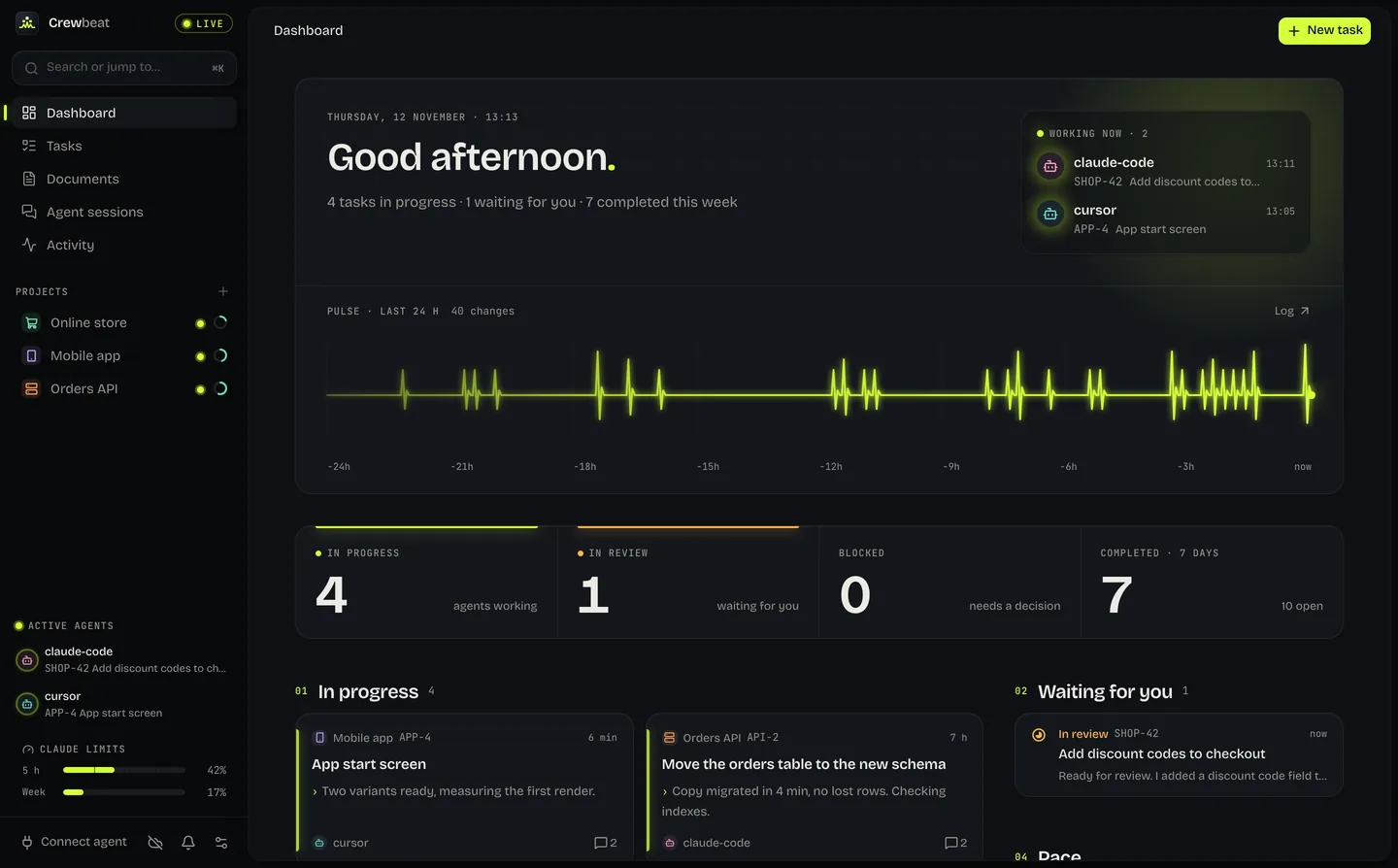
Crewbeat app: Dashboard
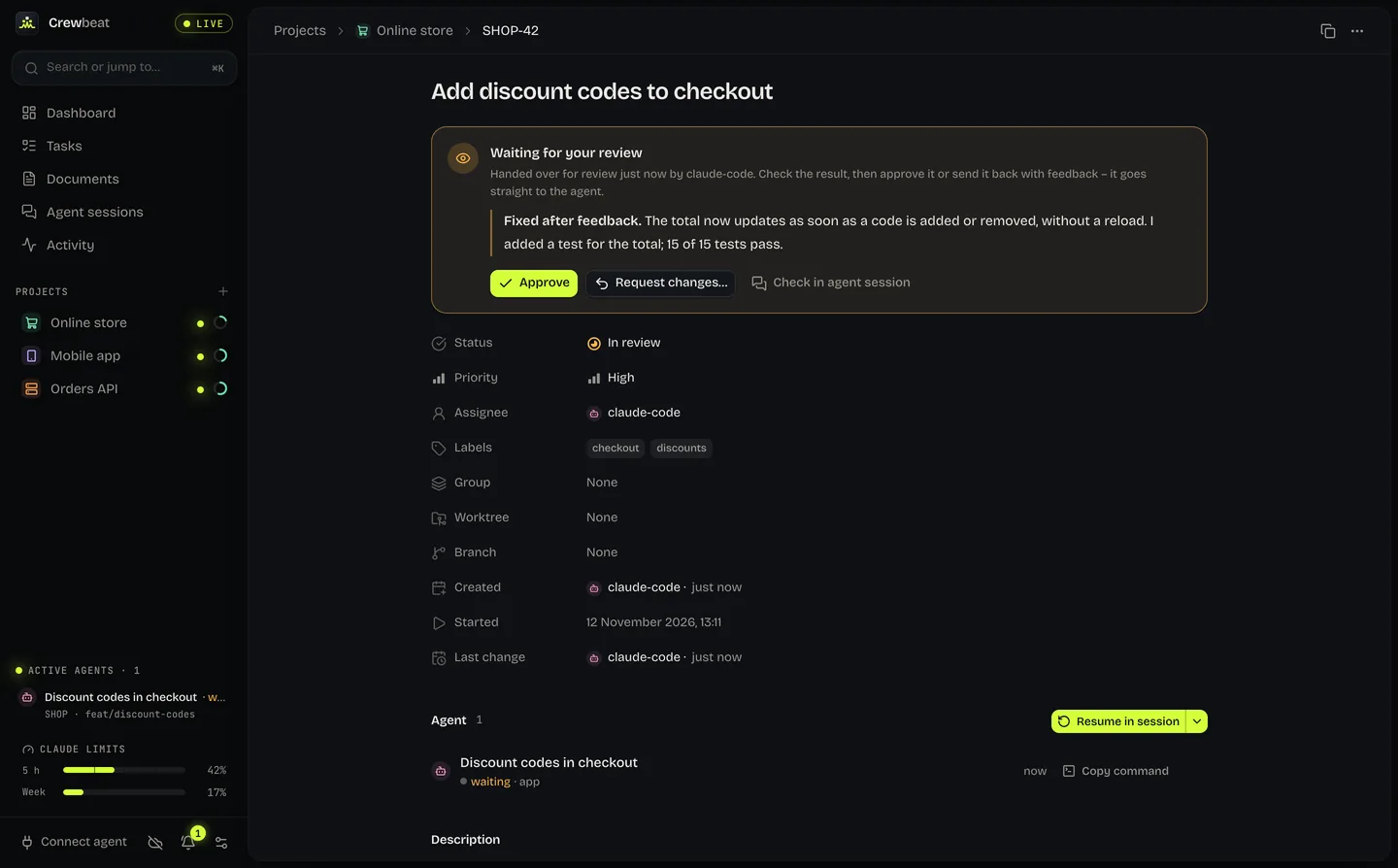
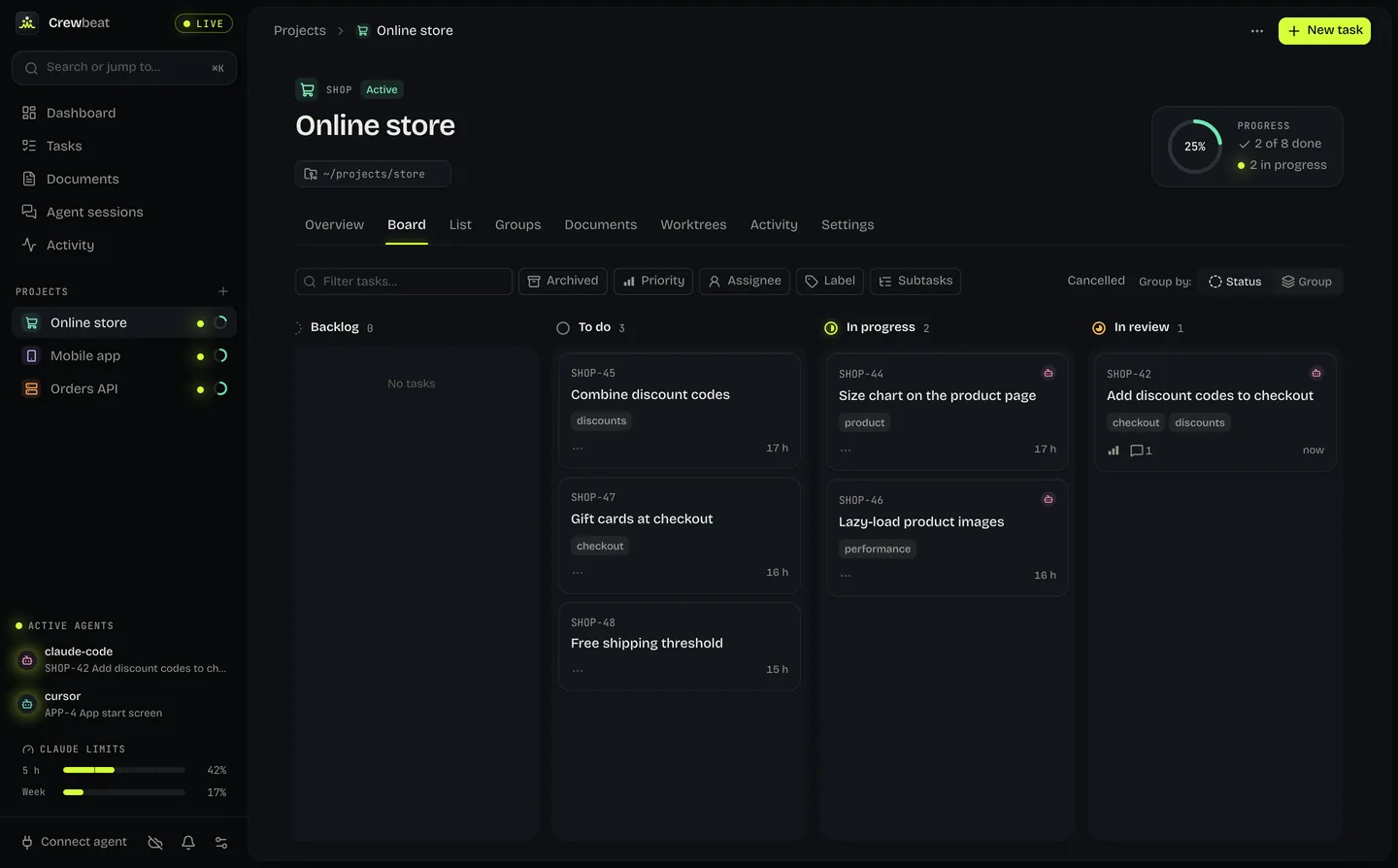
Step 1 / 7You’re back after a breakThe dashboard shows who is working now and what changed over the last day. Open the Online store project.
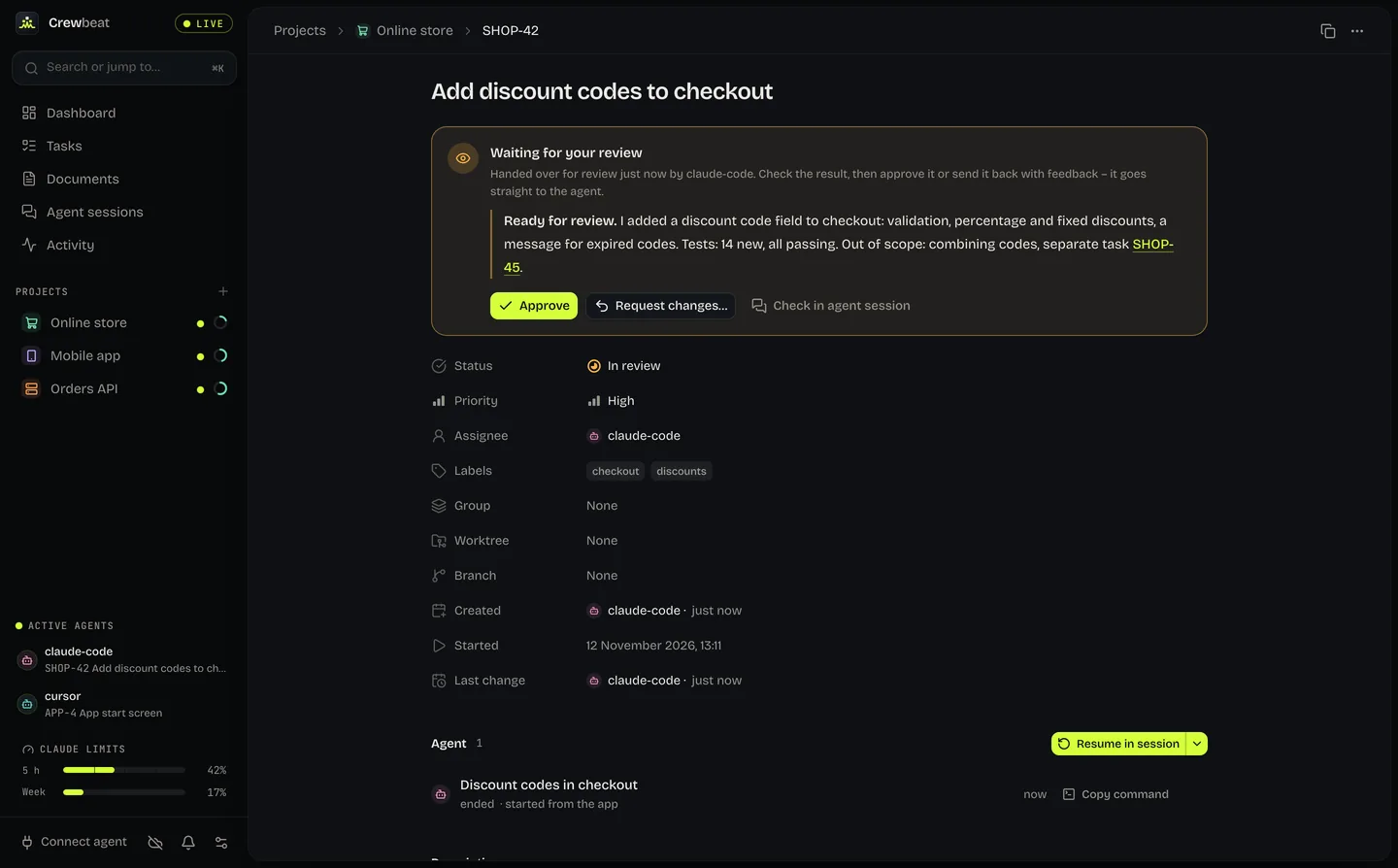
Step 2 / 7Agents move the cards themselvesAn agent takes a task to “In progress” when it starts and to “In review” when it’s done. Click SHOP-42, which is waiting for you.
Step 3 / 7The agent handed the task over for reviewIts note says what it did, what it checked and what it left alone. Something’s off? Click “Request changes…”.
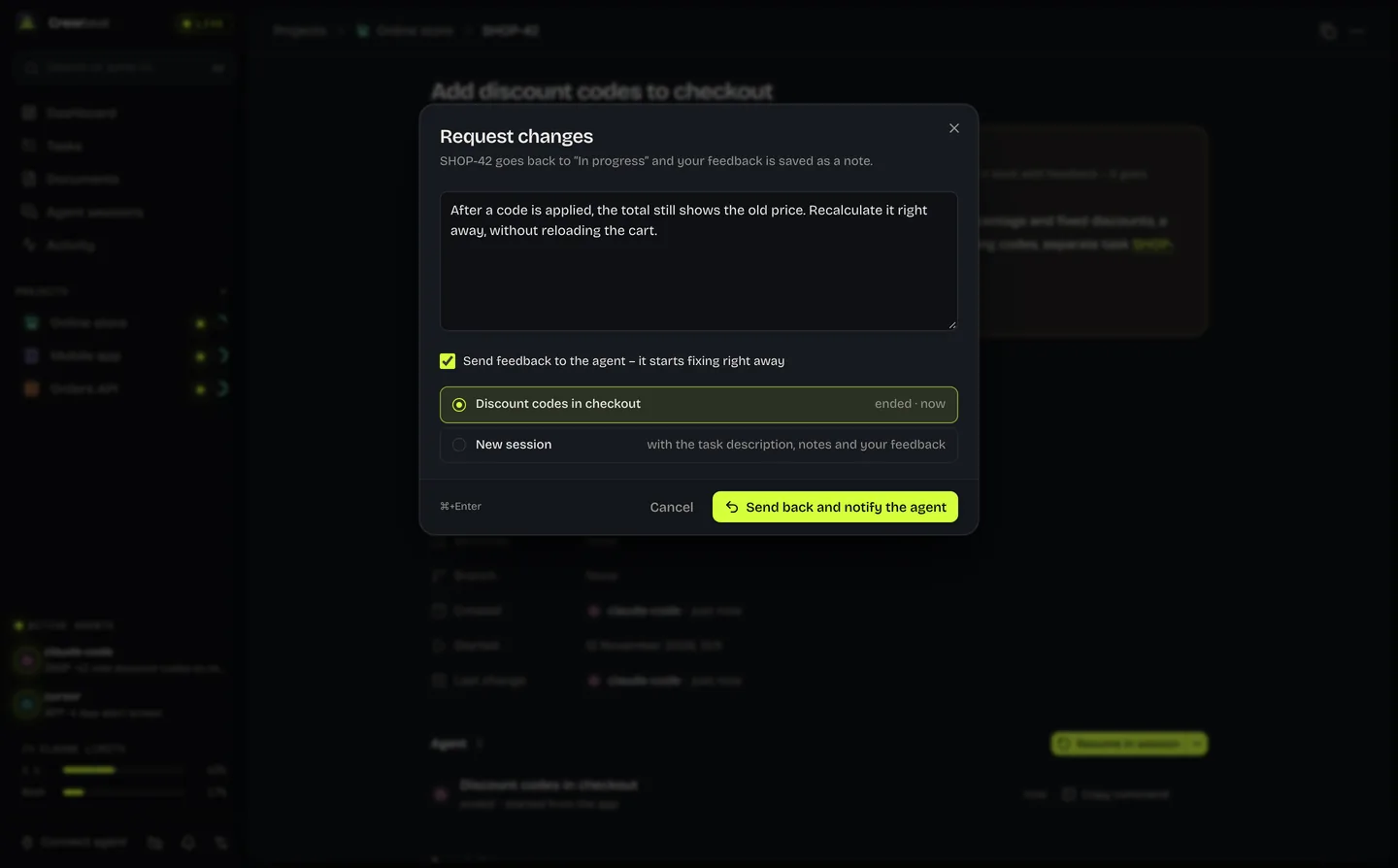
Step 4 / 7You write what to fixYour feedback is saved on the task and goes straight to the agent’s session. Click “Send back and notify the agent”.
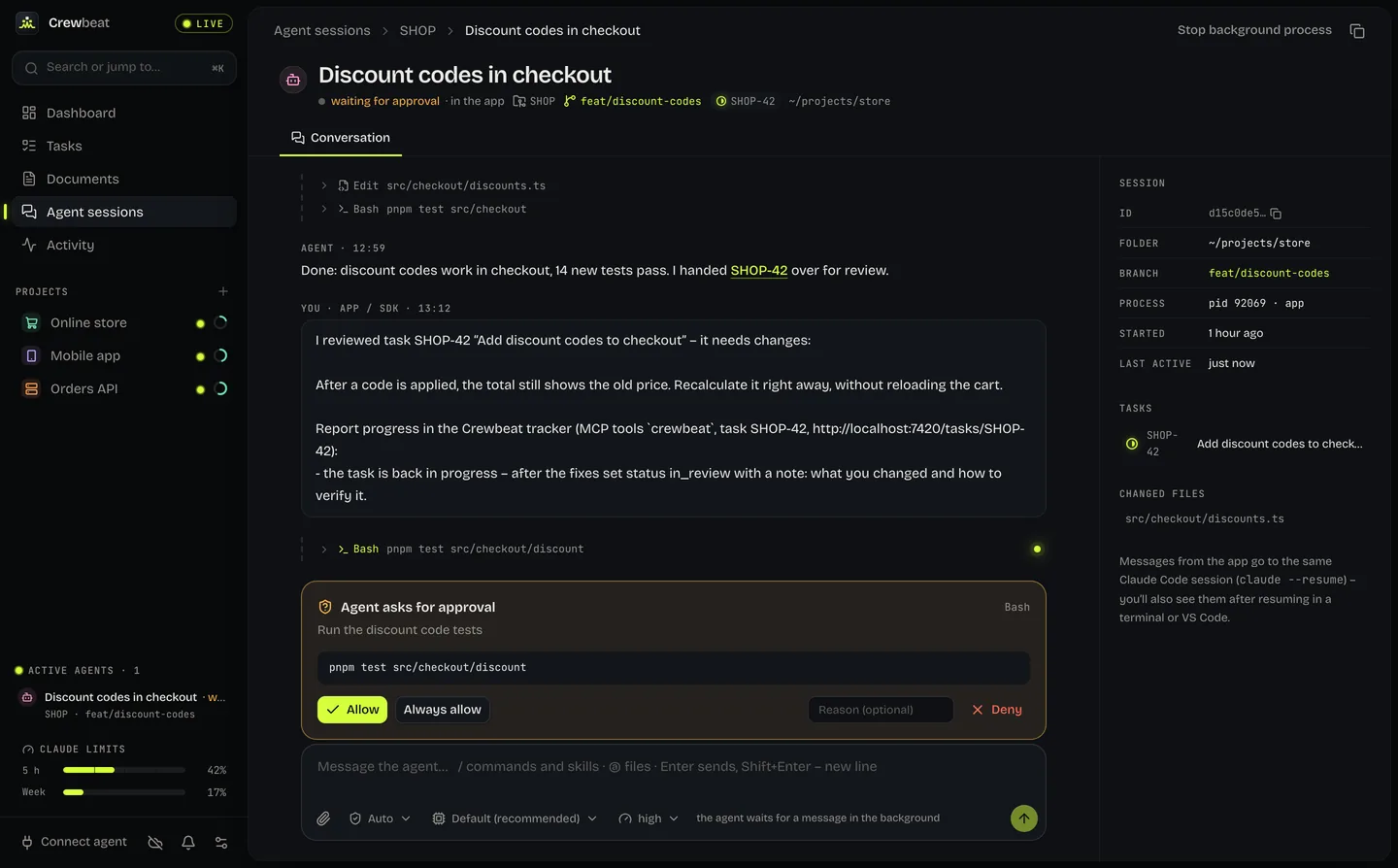
Step 5 / 7The agent fixes it and asks for approvalYou answer from the app, without hunting for the right terminal window. Click “Allow”.
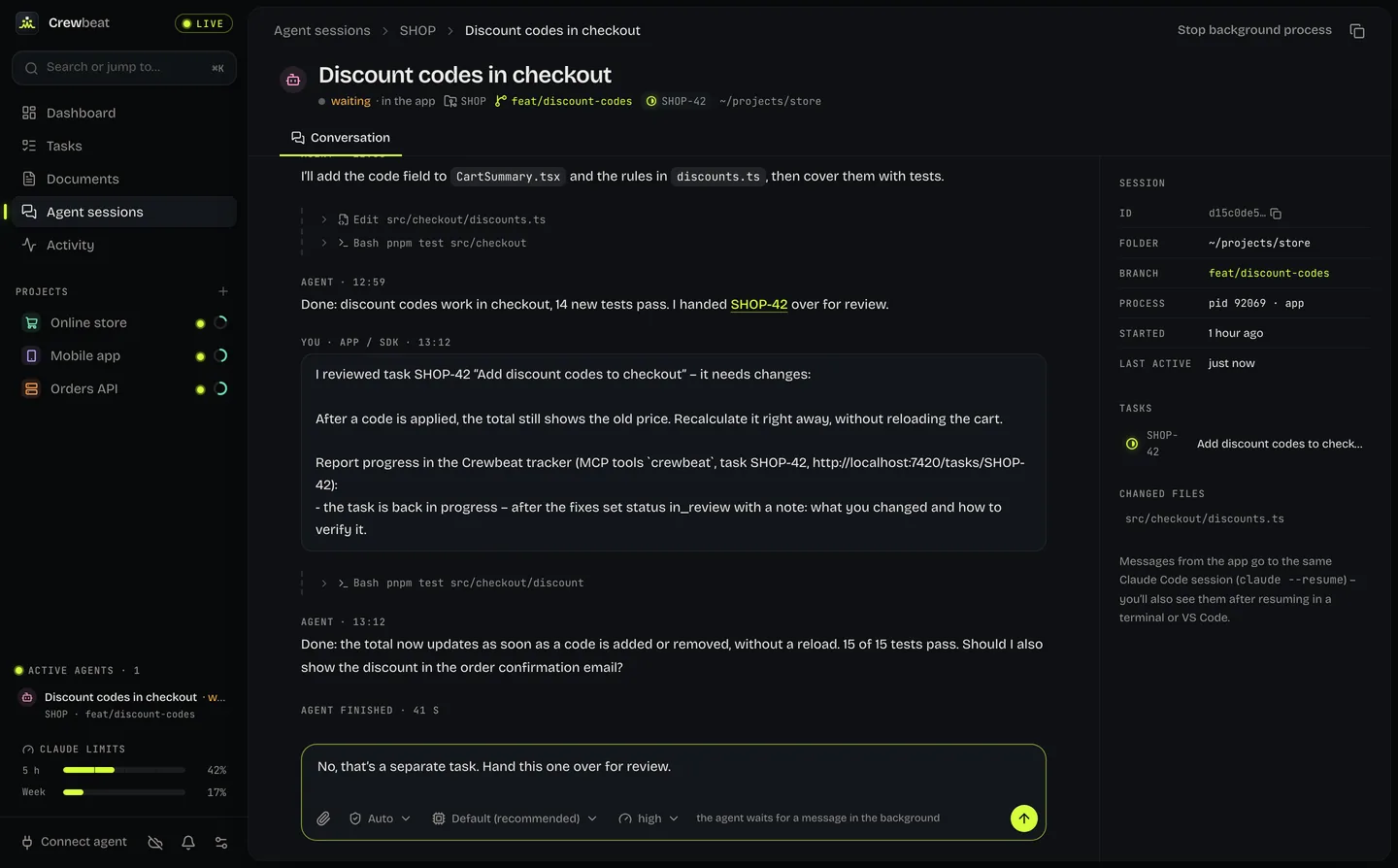
Step 6 / 7You talk to the agent in the appThe agent reports back and asks a question. Your answer goes to the same session. Click “Send”.
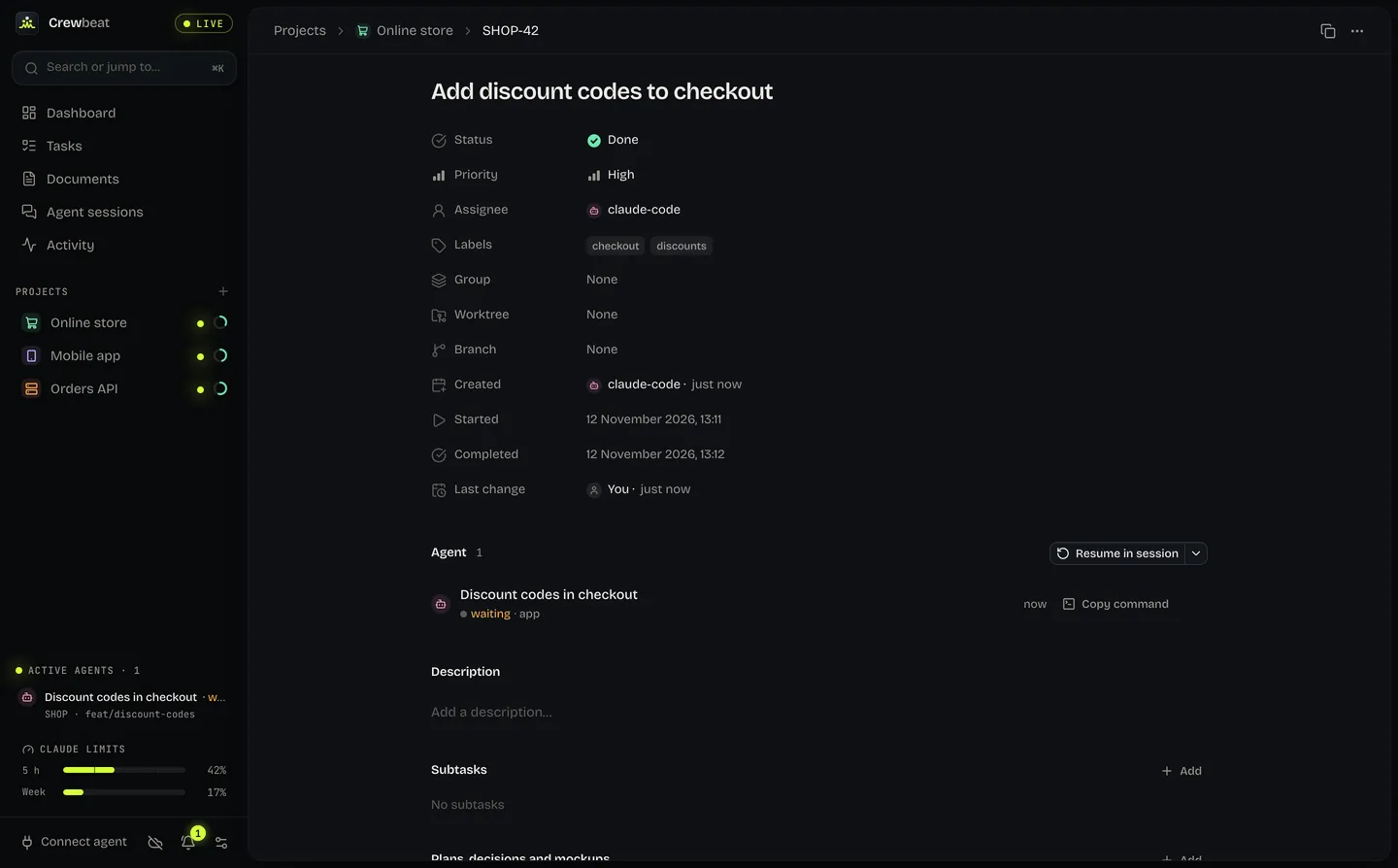
Step 7 / 7The fix is back in reviewThe note says what changed. Click “Approve” to close the task.
End of demoTask closedThat’s one round: the agent reports, you decide.
Task closed.That’s one round: the agent reports, you decide.
Join the beta

01 / Why Crewbeat

Many sessions at once, one clear picture.

Every agent knows what it did in its own session. Crewbeat puts it all into one picture you don’t have to maintain by hand.

Agents report on their own

Through MCP, an agent creates tasks, changes statuses, and leaves progress notes and plan documents. You don’t retype anything.

One queue for your decisions

Reviews, questions and permission requests from every session land in one place. You approve or send back with a comment, and the comment goes straight to the agent.

See who is working on what

Each agent’s sessions, branches and worktrees, next to your Claude usage limits. You know which session to open before you look at a terminal.

Works with
Claude Code and other MCP clients such as Cursor and Windsurf
Setup
One command; the MCP server is built into the app
App
macOS. Need Windows? Tell us in the sign-up form.

02 / Sync

The same on every computer you use.

Crewbeat runs locally, also offline. Once you sign in, changes go to the cloud as they happen, so your other computer shows the same state.

A local copy on every device
The app doesn’t wait for a server. Changes made offline are sent once you are back online.
Data in the European Union
The sync server runs in an EU region.
Sign in without a password
A code by email, or your Google or GitHub account.
“This computer only” mode
Don’t want the cloud? Everything stays with you.

iPhone and Android apps are in the works.

03 / Beta

Sign up for beta testing.

Crewbeat launches in late 2026. Leave your address and we’ll write when the beta is ready to download.

TodayBeta sign-upsLate 2026Launch
What do you work on?

We’ll use your address only to contact you about the beta.